
Download Crime Catcher – surveillance, motion detection, webcam monitoring, child monitoring, security tool
Overview
Crime Catcher is a surveillance application designed for discreet monitoring of your environment, specifically tailored for users seeking reliable, automated oversight of their homes or personal spaces. The app operates in inactive mode, leveraging your computer’s webcam to detect motion and initiate video recording when unusual activity is detected. This functionality makes it particularly useful for monitoring sleeping children, securing a home while away, or observing any space that requires passive oversight. Its core purpose lies in providing peace of mind through automated detection and documentation of unexpected events.
Target users include parents, homeowners, and individuals concerned with personal safety or property monitoring. The app’s ability to trigger recording upon motion detection ensures that critical moments are captured without requiring constant attention. While the developer, Crime Catcher, did not provide additional background details, the app’s long-standing presence—released in 2006—suggests a focus on stability and reliability over flashy features. Its minimal file size of 2.1 MB and free pricing model further indicate a lightweight, accessible tool for users seeking basic security automation.
Real-world use cases include monitoring a child’s room during naptime, checking on elderly family members, or securing a workspace when unattended. In the broader app ecosystem, Crime Catcher occupies a niche role as a no-frills, functional security utility. Despite its age, the application remains relevant in scenarios where simplicity, low resource usage, and automatic response to motion are prioritized over advanced AI or cloud integration.
Key Features & Functionality
- Motion Detection: Crime Catcher uses advanced motion detection technology to continuously monitor the camera feed. It identifies changes in the visual field and activates recording only when movement is detected, minimizing unnecessary data storage and conserving system resources.
- Video Recording: Upon detecting motion, the app automatically begins recording video sequences. Recording continues until motion ceases, ensuring that the full duration of an event is captured for later review.
- Child Monitoring: The application is optimized for parental use, particularly during nap times. It can be configured to detect when a child wakes up or moves, offering timely alerts and recorded footage to help parents respond appropriately.
- Email Notifications: Crime Catcher supports automatic email alerts, sending recorded webcam images directly to the user’s inbox. This feature allows users to stay informed about events even when they are not physically near the monitored device.
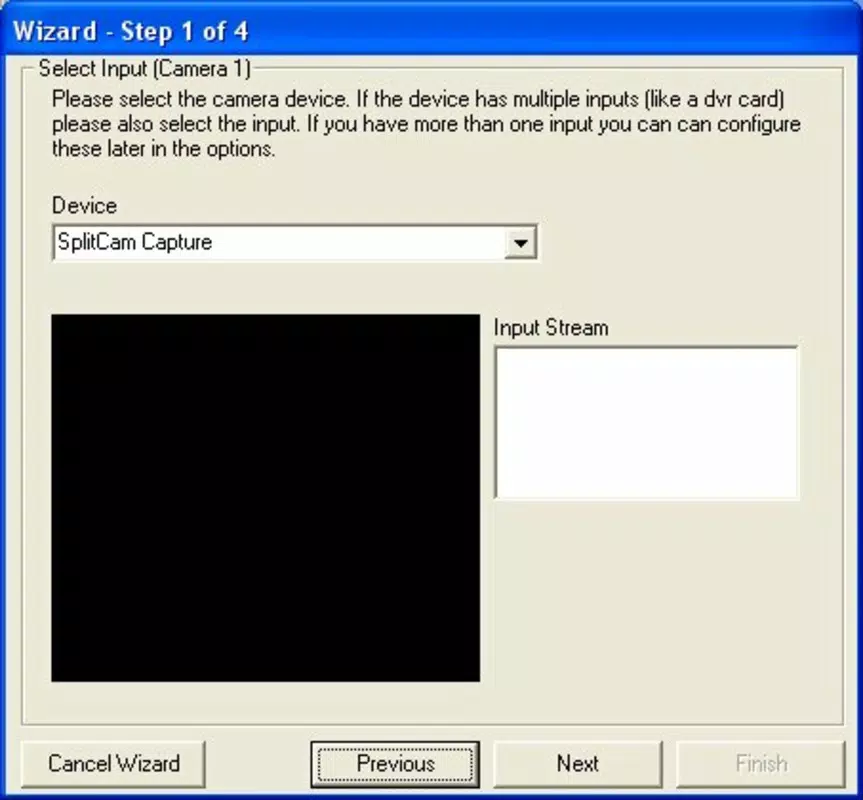
- User-Friendly Setup: The installation and configuration process is designed to be simple and intuitive. Users can quickly enable monitoring with minimal technical knowledge, making the app accessible to less experienced computer users.
For example, a parent can set up Crime Catcher on a laptop placed in a child’s room. When the child stirs during naptime, the app detects motion, starts recording, and sends a snapshot to the parent’s email. Similarly, a homeowner can use it to monitor a basement or entryway while away, receiving alerts only when movement occurs. These practical applications highlight the app’s value in real-life scenarios where passive, automated monitoring is essential.
Interface, UX & Performance
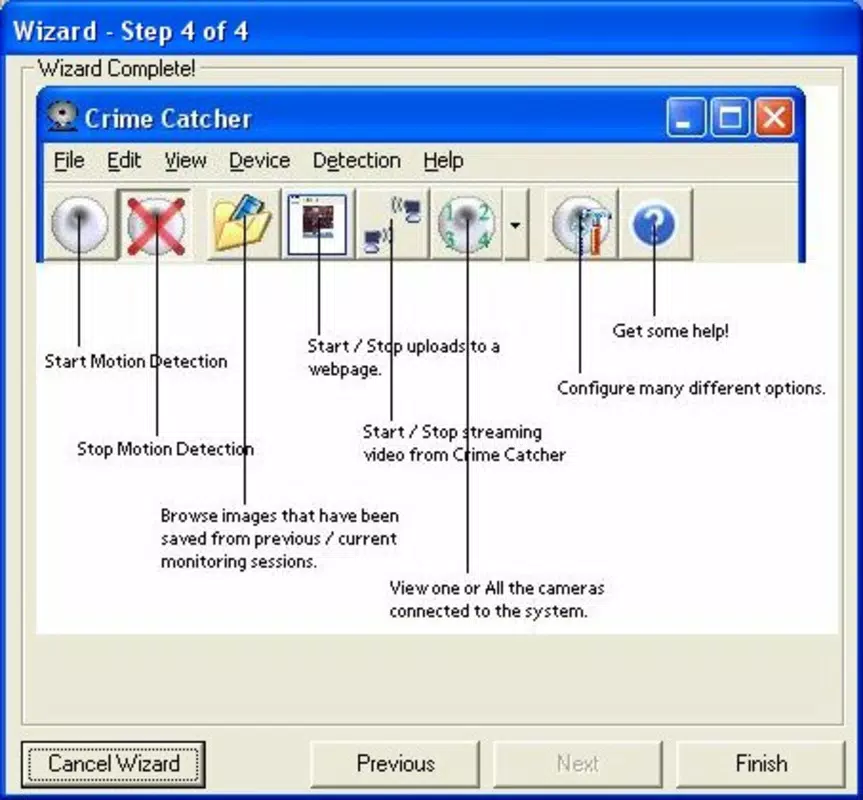
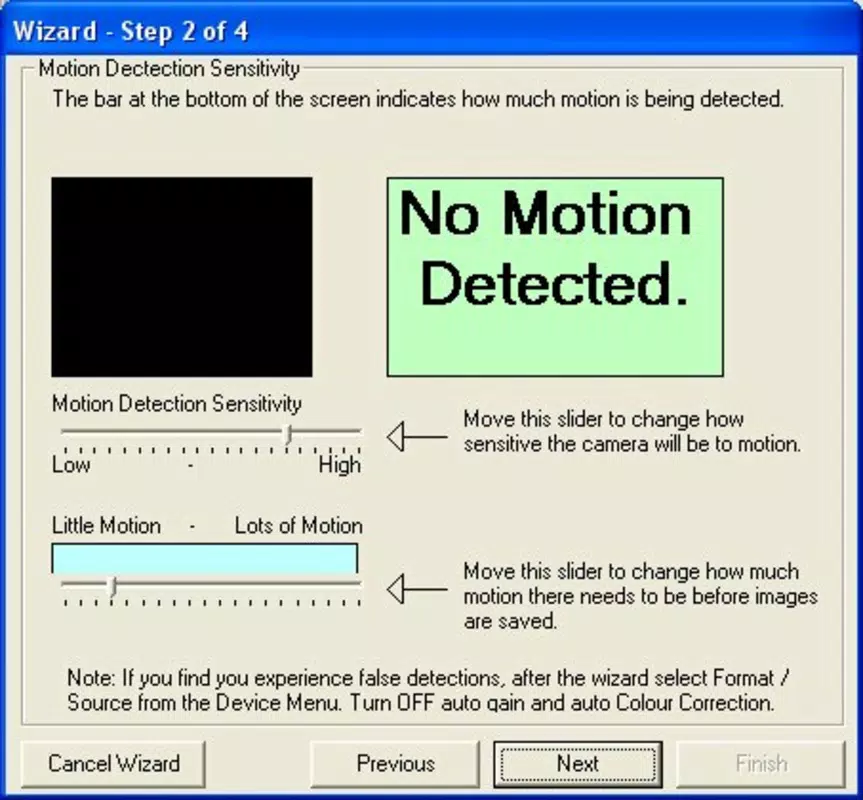
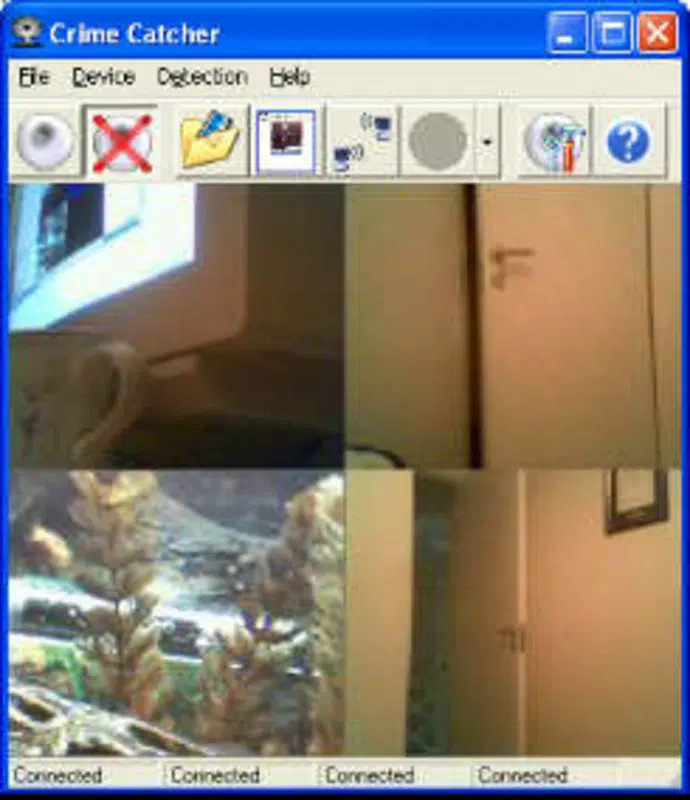
Crime Catcher features a straightforward interface that prioritizes functionality over visual flair. The layout is minimal, with essential controls accessible through a compact dashboard. Navigation is linear and intuitive, allowing users to enable monitoring, adjust sensitivity, and configure notification settings with few clicks. The visual style reflects its age and purpose—utilitarian rather than modern—focusing on clarity and ease of access.
Although the developer did not list formal performance metrics, the app’s 2.1 MB file size suggests it is lightweight and optimized for low-resource environments. It is likely to run efficiently on older Windows systems without significant impact on system performance. Responsiveness appears to be consistent, with recording and alert triggers occurring in near real-time upon motion detection. Stability is implied by the app’s long-standing presence, though no formal crash reports or error logs were provided.
Users across various device categories—ranging from older desktops to modern laptops—can expect consistent behavior, assuming the system meets basic requirements. The app operates in the background without requiring constant user input, which enhances usability during passive monitoring. Overall, the user experience is tailored to reliability and simplicity, making it suitable for users who value dependable operation over aesthetic refinement.
Platform Compatibility & Technical Requirements
Crime Catcher is designed for the Windows platform and is compatible with Windows operating systems. The software version is 2.0, and the file size is 2.1 MB. The developer did not specify minimum OS requirements or version compatibility details. It is also not confirmed whether the app supports newer Windows versions such as Windows 10 or Windows 11.
Given its release date of January 3, 2006, the app was originally built for earlier Windows environments. However, due to its lightweight nature and lack of dependency on modern frameworks, it may still function on current systems through compatibility modes. The developer did not provide information on specific hardware requirements, such as webcam resolution or CPU specifications.
Users are advised to test the app in a controlled environment before relying on it for critical monitoring tasks. Compatibility with newer systems cannot be guaranteed without further testing or official updates from the developer.
Pros and Cons
- Free to download and use with no hidden costs
- Lightweight design with minimal system resource usage
- Automated motion detection and recording reduce user effort
- Supports email alerts for remote monitoring
- Simple setup process ideal for non-technical users
- Released in 2006; may lack support for modern operating systems
- No official updates or developer support information provided
- Interface is outdated and lacks modern design elements
- Does not support cloud storage or remote viewing via mobile devices
- Compatibility with current Windows versions is uncertain
FAQ
Is Crime Catcher safe to install on my computer?
Crime Catcher is a legitimate surveillance tool designed for personal monitoring. As with any application that accesses your webcam, it is recommended to download it from trusted sources and scan it with antivirus software before installation.
Can I use Crime Catcher on my laptop while I’m away from home?
Yes, the app can run in the background on a laptop or desktop computer. It will continue to monitor for motion and send alerts even when you are not physically present, provided the device remains powered on and connected to the internet.
Does Crime Catcher require an internet connection?
While the app can function offline to detect motion and record video, email notifications require an active internet connection. The app will queue alerts if the connection is temporarily lost, but delivery may be delayed.
Is Crime Catcher compatible with Windows 10 or Windows 11?
The developer did not specify compatibility with newer Windows versions. However, due to its lightweight design, it may run on modern systems using compatibility mode. Testing is recommended before relying on it for critical monitoring.
Can I monitor multiple rooms using Crime Catcher?
Crime Catcher is designed to use a single webcam. To monitor multiple rooms, you would need to install the app on multiple devices or use separate cameras connected to one computer, depending on your setup.
Final Thoughts
Crime Catcher remains a functional tool for users seeking a no-cost, automated surveillance solution. Its focus on motion detection, video recording, and email alerts makes it a practical choice for parents monitoring children or individuals securing personal spaces. While its age is evident in the interface and lack of modern features, its core functionality remains intact.
For users who prioritize simplicity, low system impact, and immediate alerts, Crime Catcher offers a reliable, free alternative to more complex security systems. It may not support mobile access or cloud storage, but it delivers essential monitoring without the need for subscriptions or advanced setup.
Download Crime Catcher now


